
PROGRAMMING
Ruby and MicroPython. On-device editing, compilation, and execution.
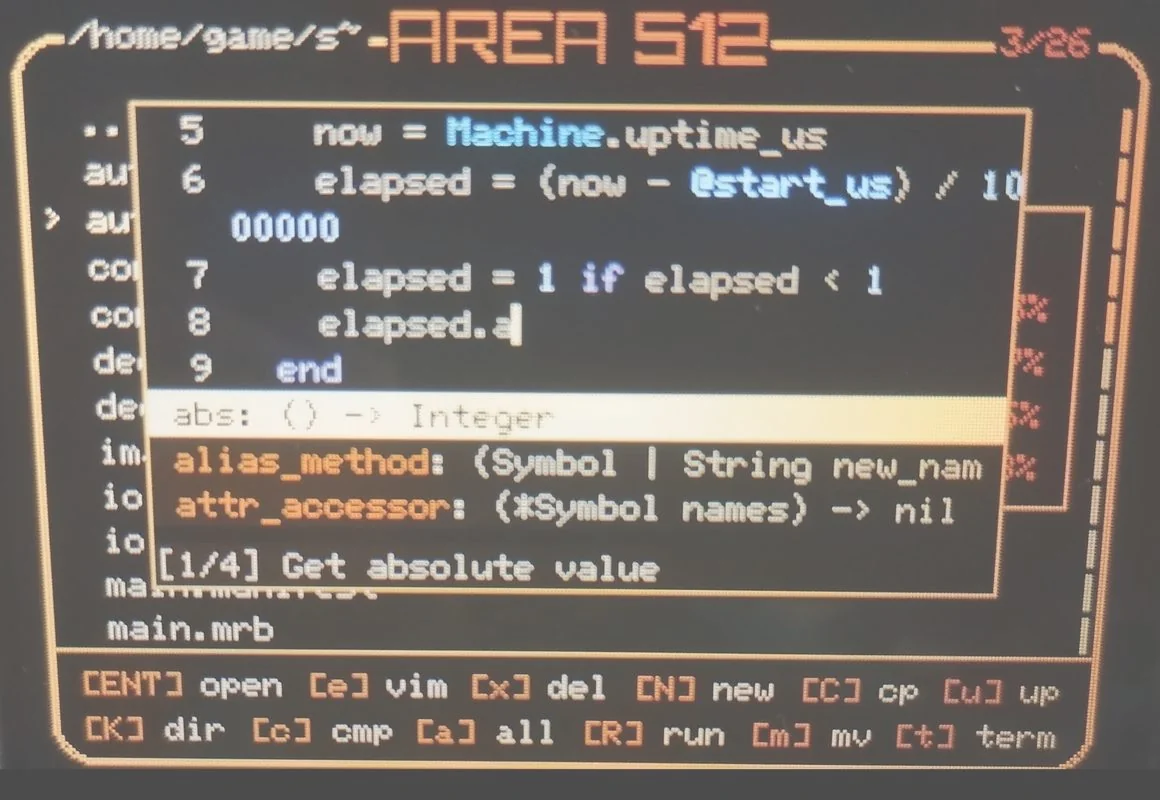
EDITOR & REPL
The editor supports normal, insert, visual, operator, and command modes, plus search.
Ruby and Python files have syntax highlighting, automatic indentation, code completion, diagnostics, and hover information.
In the terminal, irb starts the Ruby REPL and
python-repl starts the MicroPython REPL.
ON-DEVICE WORKFLOW
-
Create a file
Press N in the file manager and enter a filename ending in
.rbor.py. -
Edit and save
Press e to open the editor. Press i to insert text, then Esc and
:wqto save and close. -
Compile and run
Press c to compile the selected source. Opening a source file with Enter compiles and runs it.
| Source | Bytecode | Execution |
|---|---|---|
| Ruby .rb | .mrb | Ruby bytecode runs in a sandbox task. |
| Python .py | .mpy | Python bytecode runs with MicroPython. |
AVAILABLE FEATURES
| Feature | Ruby | MicroPython |
|---|---|---|
| Display / Sprite / Dot | Yes | Yes |
| Widget / WidgetList / WidgetTextView | Yes | Yes |
| GPIO | Yes | Yes |
| ADC | — | Yes |
| I2C | Yes | — |
| SD / File / Dir / IO / RNG | Yes | Yes |
| Sandbox | Yes | — |
| Console | — | Yes |
These APIs are built in. Ruby does not require
require and MicroPython does not require
import to access them.
DIRECTORY STRUCTURE
myapp/
├── main.manifest   # optional bytecode load order
├── main.mrb        # Ruby entry point
├── main.mpy        # Python entry point
├── *.rb / *.mrb    # Ruby sources and bytecode
├── *.py / *.mpy    # Python sources and bytecode
└── image.h        # optional splash image
Select the application directory and press uppercase R.
AREA512 checks main.manifest, then
main.mrb, then main.mpy. Compile source
files before launching a directory application.
A manifest lists bytecode files one per line, with dependencies first and the entry point last. Ruby and Python manifests load their respective bytecode files in order.
Ruby manifest files are loaded into a single sandbox. Without a
manifest or either entry point, the device reports
No main.manifest, main.mrb or main.mpy in <directory>.
For interface components, see the
Widget API reference and the
preinstalled /home/tool/gallery example.